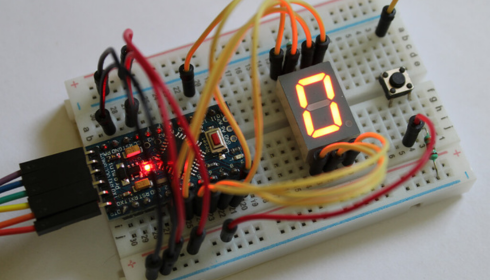
When you walk into a science exhibition, one of the most common and fascinating setups you’ll notice involves electricity—lights glowing, motors spinning, and circuits working smoothly. Behind all these demonstrations lies one essential component: the power supply. It may look simple, but it plays a crucial role in making any electronic project function properly.
If you’re planning a science exhibition project understanding how a power supply works can give your model both reliability and a professional touch. Let’s break it down in a way that actually makes sense, even if you’re not deeply into electronics.
What is a Power Supply?
A power supply is basically a device that provides electrical energy to a circuit. Think of it like the heart of your project—it pumps energy so every component can work. Without it, even the most well-designed circuit is just a lifeless arrangement of wires and parts.
Power supplies can come in different forms. Some are simple batteries, while others are more advanced units that convert electricity from one form to another, such as converting AC (alternating current) from a wall socket into DC (direct current) used by most electronics.
Types of Power Supplies You Can Use
For a school-level exhibition, you don’t need anything too complicated. Here are a few common options:
1. Battery-Based Power Supply
This is the easiest option. Using AA batteries or a 9V battery is safe and simple. It’s perfect for small projects like LED circuits or mini fans.
2. Adapter-Based Power Supply
These are the chargers you use for phones or other devices. They convert AC to DC and provide a steady voltage output. Ideal for slightly bigger projects.
3. Regulated Power Supply
This is a more advanced setup where voltage is controlled using components like voltage regulators. It ensures your circuit receives a constant voltage, which is especially useful in sensitive electronics.
Key Components of a Basic Power Supply
If you want to impress judges, building a simple power supply circuit can be a great idea. Here are the main parts:
Transformer
It reduces high voltage from the mains to a safer level.
Rectifier
This converts AC into DC. Usually made using diodes.
Filter
It smooths the output, removing fluctuations.
Voltage Regulator
It maintains a stable output voltage regardless of input changes.
Even if you don’t build all these parts physically, explaining them clearly in your project can earn you extra points.
How to Present It in Your Project
Presentation matters a lot in exhibitions. Instead of just showing a working circuit, try to explain the journey of electricity.
You can use charts or diagrams to show how power flows from the source to the final output. Label each stage clearly. For example, start with AC input, then show conversion to DC, and finally how it powers your device.
Adding LEDs to indicate each stage can make your model more interactive and visually appealing.
Safety Tips You Should Not Ignore
Working with electricity always requires caution. Here are a few simple safety rules:
- Avoid direct connection to high-voltage sources
- Use insulated wires
- Double-check connections before turning on power
- Prefer low-voltage setups like batteries for school projects
These small precautions not only keep you safe but also show responsibility to judges.
Why Power Supply is Important in Exhibitions
Many students focus only on the output—like a moving motor or glowing bulb—but the real learning lies in understanding how energy reaches there. A well-explained power supply section shows depth in your project.
It tells the audience that you don’t just know “what works,” but also “how it works.” That’s the difference between a basic model and a standout one.
Final Thoughts
A power supply might seem like a background component, but it’s actually the backbone of any electronic project. Whether you use a simple battery or build a mini regulated unit, make sure you understand and explain it clearly.
In a science exhibition, clarity often beats complexity. So focus on explaining concepts in your own words, keep your setup neat, and let your project reflect your understanding—not just your effort.